How can we help you?
Everything you need to know about AtlasFlux AI
Introduction to AtlasFlux AI
AtlasFlux AI is a next‑generation platform that aggregates over 200 cutting‑edge AI models from providers like OpenAI, Anthropic, Google, Meta, DeepSeek, xAI, Qwen, and more. It unifies AI chat, file analysis, image generation, video creation, music, voice cloning, audio separation, 3D modeling, and a suite of free text tools under a single, transparent credit‑based system.
Every user receives 30 free credits daily, with optional one‑time purchases for additional usage. The platform automatically selects the best model for each request, but also offers a Manual Mode for those who want full control. Enhanced modes include DeepSearch (live web search), Research Mode (in‑depth multi‑source analysis), Reasoning Mode (chain‑of‑thought), BigT (reasoning + search), and Coding Mode (optimised for programming).
AtlasFlux AI is built for accessibility – installable as a Progressive Web App (PWA), usable in guest mode, and available in both English and Malay. All data is stored with Row Level Security, ensuring your privacy. The platform also features a vibrant community where you can share creations, follow others, and discover inspiring content.
Getting Started
You can use AtlasFlux AI immediately as a guest or create a free account for persistent history, premium tools, and community access.
Guest Mode
No registration required. Chat sessions, credits, and preferences are saved locally in your browser. Limited to 5 sessions; features like Purchases, AI Tools (image/video/music), and Community require an account. Clearing browser data will erase guest history.
Creating an Account
Click 'Sign In' at the top right and choose email (passwordless OTP), Google, or GitHub. After signing in, you instantly receive a one‑time welcome bonus of 120 credits. Your account syncs across devices, and all history is securely stored in the cloud.
Interface Overview
The left sidebar provides access to New Chat, the Tools hub, credit balance, referral sharing, purchases, contact, legal, and account settings. The main area displays your active chat or tool workspace. The top bar shows credits, language toggle, theme switch, notifications, and your profile.
The Tools Hub
Click the Tools icon (⚙️) in the sidebar to open AtlasFlux Studio – the central launchpad for all AI creation tools. Inside you'll find: AI Image Generator, Video Generation, Music, Voice Cloning, Audio Separation, Paraphrase, Email Generator, Prompt Creator, Face Restoration, Remove Background, Upscaler, Image to 3D, and Image Tools. Each tool has its own dedicated page with custom settings and history.
AI Chat – Your Universal AI Assistant
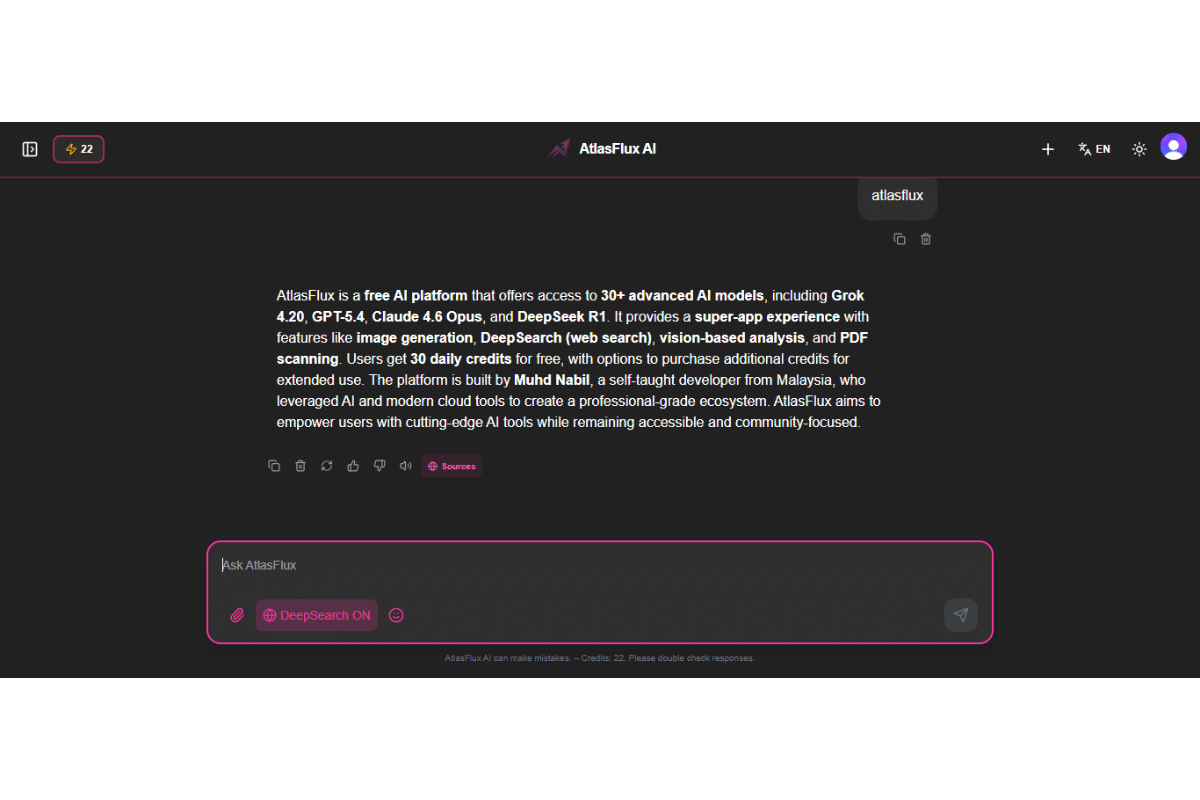
The AI Chat is the core of AtlasFlux. It supports text conversations with file attachments, automatic model selection, and a rich set of modes to tailor the AI's behaviour.
Sending Messages
Type your message, attach files if needed, and press Enter or click Send. Use Shift+Enter for line breaks. Up to 5 images per message (max 20 MB each) and various documents (PDF, DOCX, XLSX, text/code) are supported. Images larger than 1 MB are automatically compressed.
File & Image Support
Attach files via the Plus (➕) button. Supported formats and limits:
- Images: PNG, JPG, WEBP – up to 20 MB each, max 5 per message.
- PDF: max 50 MB, text automatically extracted.
- DOCX/DOC: max 50 MB, text extracted via mammoth.
- XLSX/XLS: max 50 MB, data converted to CSV.
- Text/code files: TXT, JSON, JS, PY, HTML, CSS, etc. – max 10 MB.
- Binary files: download only, no preview.
Auto vs Manual Model Selection
By default, Auto mode picks the optimal model based on your request and attached files (vision for images, file‑support for documents). Toggle to Manual mode to choose any LLM from the full catalog. In Manual mode, special modes (DeepSearch, etc.) are disabled; the selected model handles everything.
Context Window & Token Limits
Each model has a maximum context length (e.g., 128K tokens). AtlasFlux tracks cumulative tokens used in a session. When you reach 80% of the limit, a warning banner appears. At 100%, the input is disabled and you must start a new chat. This prevents errors and wasted credits.
Message Actions
Hover over any assistant message to reveal action buttons:
- 📋 Copy – copy plain text.
- 🗑️ Delete – remove message.
- 🔄 Redo – regenerate response.
- 👍 Like / 👎 Dislike – feedback.
- 🔊 Read Aloud – text‑to‑speech with selectable AI voice.
- 📚 Sources – view web pages used (DeepSearch/Research).
- 📝 Expand – full message in modal.
- ✏️ Edit – for user messages, edit and resend.
- 🚩 Flag – save to Archived for later reference.
Click the square stop button (⏹) to halt generation at any time.
Chat Modes – Deep Dive
DeepSearch Mode
DeepSearch performs a live web search and scrapes the top pages for up‑to‑date answers. Activate via the globe icon (🌐). Adds +2 credits to the base cost (total 3 credits per message). You'll see progress: 'Searching the web…' then 'Reading page X of Y'. After the response, click the source stack to open the Sources modal. If the search fails, the extra credits are refunded.
Ideal for current events, recent data, fact‑checking, and questions about live information.
Research Mode
Research Mode dives deeper, scraping up to 10 sources with advanced search. Cost: 8 credits per message. Activated via the file‑search icon (🔍). It automatically disables DeepSearch. Delivers comprehensive analysis with extensive references. Progress is streamed live; credits are partially refunded if any part fails.
Best for academic research, market analysis, competitive intelligence, and any task requiring multiple sources.
Reasoning Mode
When enabled (🧠 icon), the AI shows its chain‑of‑thought reasoning before the final answer. Uses models with native reasoning (e.g., DeepSeek R1, Qwen3 Thinking). Cost: 2 credits per message.
Why use Reasoning? - Transparency: see how the answer is built. - Better accuracy on complex logic, math, and multi‑step problems. - Educational: view the model's internal problem‑solving.
BigT Mode
BigT (🦉) combines Reasoning + DeepSearch. It provides transparent reasoning together with real‑time web context. Cost: 5 credits per message.
Coding Mode
Coding Mode routes requests to premium models optimised for programming (Claude Opus, GPT‑5.4, Gemini 2.5 Pro). Cost: 20 credits per message. Activate via the code icon (</>). Generated code files are automatically saved to your AF Code library (found in Account → AF Code).
- Coding + DeepSearch = 22 credits
- Coding + Research = 28 credits
- Coding + Reasoning = 22 credits
- Coding + BigT = 25 credits
Code, File & Source Previews
HTML/CSS/JS Code Preview
When an assistant message contains HTML, CSS, or JavaScript code, a 'Run' button appears. Clicking it opens a live preview panel where you can see the rendered output safely sandboxed. Navigation and form submissions are blocked for security.
File Preview
Attached files (PDF, images, documents) can be previewed directly in the chat by clicking on them. A sidebar opens showing the file content, with options to download or delete.
Source Preview
When DeepSearch or Research mode is used, a source summary appears below the AI response. Click it to open the Sources panel, which lists all web pages with favicons, titles, and URLs. Click any source to jump to its details.
AI Image Generation
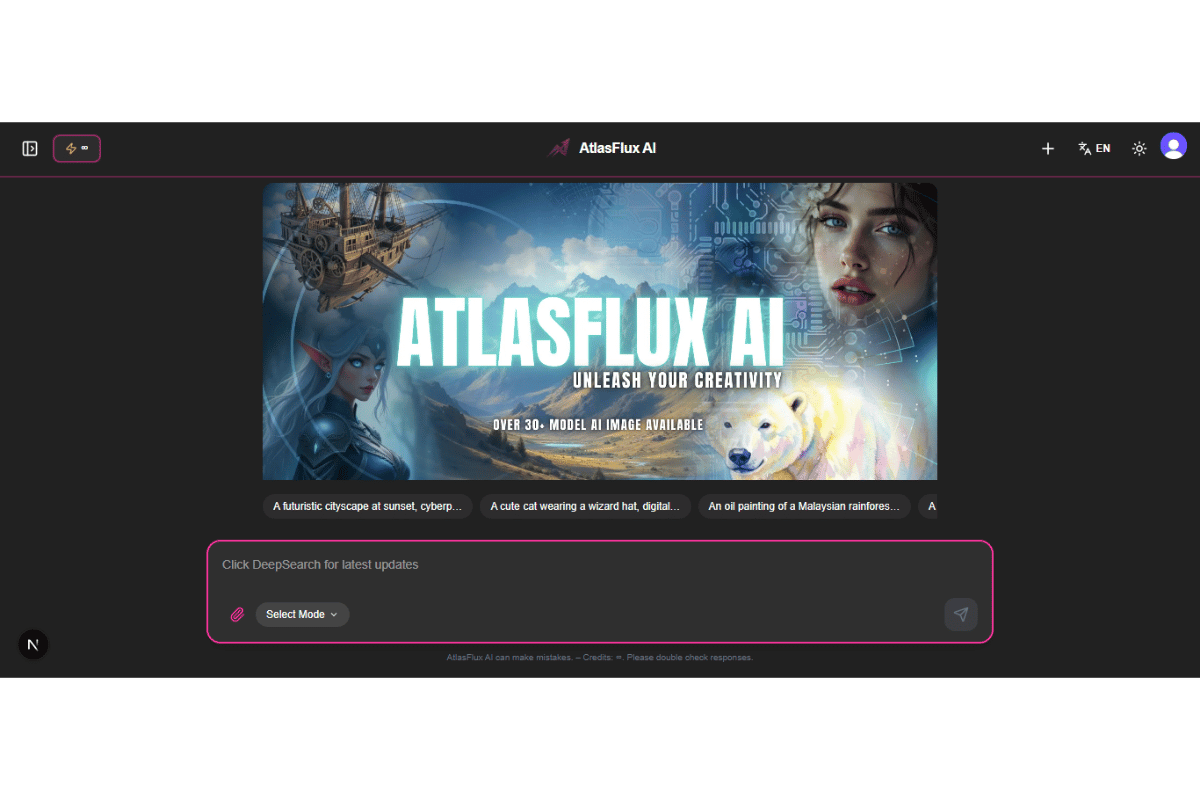
Access from Tools Hub → AI Image. Over 200 models support text‑to‑image, image‑to‑image, and multi‑reference generation. Each model displays its unique settings and credit cost.
Choosing a Model
Select a model from the dropdown. The settings panel adapts dynamically – showing only supported options such as resolution, aspect ratio, safety tolerance, seed, style, etc. The estimated credit cost updates in real‑time as you change settings.
Image‑to‑Image & Reference Images
For models that support img2img, you can upload one or more reference images. The AI will follow your prompt and the provided visuals. Some models support up to 14 reference images (e.g., Nano Banana Pro). If a model does not support image input, the upload area is disabled.
Advanced Settings
Depending on the model, you can tweak aspect ratio, resolution, safety tolerance, seed, style, negative prompt, and more. All changes update the credit cost instantly.
Image History
All generated images are saved to your AI Image History. You can preview, download, share, pin (to keep beyond 7 days), or delete. A retention banner reminds you of the 7‑day auto‑cleanup for unpinned items.
Community Auto‑Share
If you enable Auto‑Share in Preferences, every generated image is automatically posted to the Community Feed, including the prompt, model, settings, and reference images. You can disable this at any time.
Video Generation

Access from Tools Hub → Video Gen. Create videos from text, images, or existing clips. Models include Kling, Veo, Seedance, Hailuo, PixVerse, Wan, and more.
Choosing a Model
The dropdown lists all available video models. The form only shows fields supported by the selected model, such as resolution, duration, aspect ratio, audio, seed, fps, motion strength, expression scale, etc.
Settings & Cost
Configure resolution, duration, aspect ratio, audio generation, negative prompt, CFG scale, and more. The estimated credit cost updates in real‑time. A confirmation modal appears before generation, showing a summary of the request and the exact credit cost.
Input Types
Depending on the model, you can provide:
- Text prompt only (T2V)
- Reference image(s) for image‑to‑video
- Input video for extension/editing
- Audio file for lip‑sync or audio‑driven animation
- Reference images for style/character consistency
Video History
Generated videos are saved to your Video History. You can play, download, share, pin (kept indefinitely), or delete. A retention notice reminds you of the 7‑day auto‑cleanup for unpinned items.
All AI Tools – Complete Reference
Every tool has its own dedicated page and history. Text‑based tools are free. Audio, image, and video tools consume credits as listed.
| Tool | Cost | Description |
|---|---|---|
| Music Generator | Lyrics: Free | Audio: 30‑50 credits | Create original songs with AI. Choose Lyria or MiniMax models. Generate lyrics for free, then turn them into audio. Edit lyrics before finalising. 2 free audio trials for MiniMax 1.5. History: Music Album. |
| Voice Cloning | 15 credits | Clone any voice by uploading a short sample (5‑10 sec). Supports 15 languages. Download the generated speech. History: Voice Cloning History. |
| Audio Separation | 20 credits | Separate an audio file into stems (vocals, drums, bass, other). Adjustable model, overlap, and MP3 settings. History: Audio Separation History. |
| Paraphrase | Free | Rewrite text in different styles (Standard, Formal, Casual, Creative). Adjust creativity level. History: Paraphrase History. |
| Email Generator | Free | Create professional email drafts. Choose template, tone, length, creativity. History: Email History. |
| Prompt Creator | Free | Craft detailed image/video prompts. Configure type, style, lighting, mood, composition. Output as text or JSON. History: Prompt History. |
| Face Restoration | 5 credits | Restore old/damaged faces using GFPGAN. Choose scale (2x/4x) and model version. Before‑after comparison. History: Face Restoration History. |
| Remove Background | 10 credits | Instantly remove image backgrounds (BRIA RMGB 2.0). Output: transparent PNG. Before‑after comparison. History: Remove BG History. |
| Upscaler | 10 credits | Enhance resolution up to 4x with Real‑ESRGAN. Optional face enhancement for portraits. Before‑after slider. History: Upscaler History. |
| Image to 3D | 70 credits | Generate 3D model (GLB) from image/text. Adjustable face count, PBR materials. Interactive 3D viewer. History: Image to 3D History. |
| Image Tools | 5‑15 credits | Poster Maker (RAD Posters, 5 cr) and Remove Object (Flux Fill Pro, 15 cr). Upload mask for removal. History: Image Tools History. |
File Uploads
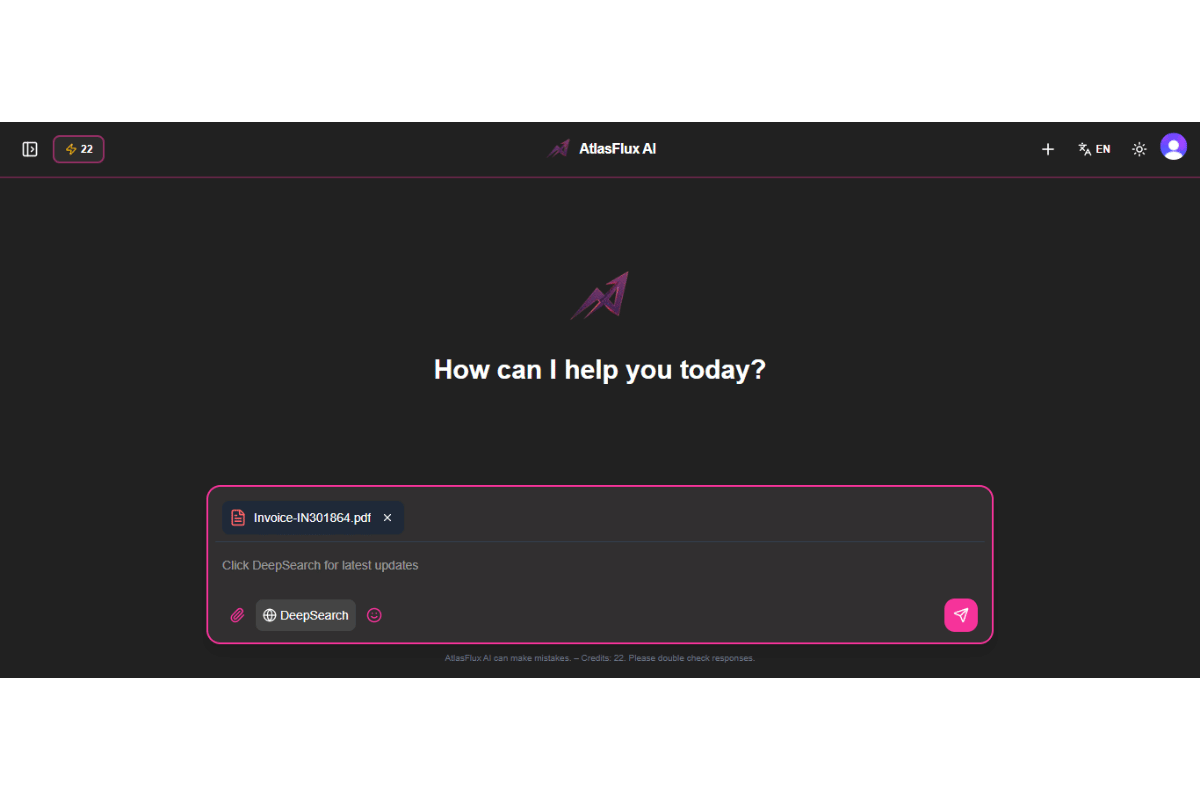
Supported File Types
- Images: PNG, JPG, WEBP – up to 20 MB each, max 5 per message.
- PDF: max 50 MB, text automatically extracted.
- DOCX/DOC: max 50 MB, text extracted via mammoth.
- XLSX/XLS: max 50 MB, data converted to CSV.
- Text/code files: TXT, JSON, JS, PY, HTML, CSS, etc. – max 10 MB.
- Binary files: download only, no preview.
Size & Quantity
- No daily limits – only per‑message limits.
- Images: up to 5 per message, 20 MB each.
- Documents: up to 50 MB.
- Text/code: up to 10 MB.
How to Attach Files
- Click the Plus (➕) button in the chat input area.
- Choose 'Upload Image' or 'Upload Document'.
- Select files from your device.
- Click the ✕ on any preview to remove it before sending.
Model Catalog & Capabilities
AtlasFlux AI uses models from OpenRouter (chat), Replicate (image/video), and WaveSpeed (optimised speed). Below is an overview of the most popular models and their strengths.
Chat Models (OpenRouter)
GPT‑5.5 Pro / GPT‑5.4 Pro
Complex reasoning, long‑form writing, 1M context, token‑based pricing.
Claude Opus 4.7 / 4.6
Advanced multimodal analysis, nuanced instructions, safety‑critical applications.
Gemini 3.1 Pro
Search integration, code understanding, broad knowledge.
DeepSeek R1 / V3.2
Reasoning‑exposed models, chain‑of‑thought, economical.
Grok 4.20 / 4.20 Multi‑Agent
Real‑time data (X integration), agentic tool calling.
Qwen 3 Max / Qwen 3.5
Vision‑capable, multilingual, free preview available.
Mistral Large
Privacy‑focused, strong European language performance.
Perplexity Sonar Pro Search
Integrated search engine, perfect for fact‑checking.
Image Models (Replicate & WaveSpeed)
FLUX.2 Pro / Max
Photorealistic generation, aspect ratio, img2img.
Imagen 4 / Ultra
Google’s flagship, exceptional prompt adherence, up to 4K.
Seedream 4.5
ByteDance model with multi‑step reasoning, sequential generation.
Nano Banana Pro
Up to 14 reference images, multiple aspect ratios.
Ideogram V3 / Recraft V4
Graphic design, text rendering, branding.
Grok Imagine
High‑realism, text‑to‑image and editing.
Proteus V0.3 / Lucid Origin
Community‑tuned photorealism and anime.
Video Models
Kling 2.6 / V3 Omni
Cinematic quality, 4K, audio support.
Veo 3.1 / Fast
Google’s premium model, JSON prompt support.
Seedance 2.0 / 1 Pro
Multi‑image reference, complex motion.
Grok Imagine Video
xAI’s text‑to‑video with native audio.
PixVerse V4 / Transition
Fast social media content, creative transitions.
Credit System – How It Works
Daily Credits
30 free credits every day, reset at midnight Malaysia Time (UTC+8). Unused daily credits do not roll over.
Bonus Credits
Never expire. Come from: welcome bonus (120 credits), referrals (50/30), purchased packs, and promotions.
- Welcome bonus: 120 credits on first sign‑in.
- Referral: 50 credits for referrer, 30 for referred.
- Purchased credit packs.
- Special promotions.
Credits are consumed in this order: daily credits first, then bonus credits.
Token‑Based Pricing
Some models (e.g., GPT‑5.5 Pro) use token‑based pricing instead of a flat rate. The total cost is estimated upfront based on your input tokens and an assumed output length. You'll see a 'Token Hold' amount before sending. The final charge is calculated by the server using actual usage.
Automatic Refunds
If all models fail to respond, or if DeepSearch/Research fails, the full credit amount is refunded. Check your Credit Logs for verification.
Purchases & Credit Packs
All purchases are one‑time payments processed securely by Stripe. Credits never expire.
- Starter Pack: 350 credits – RM5.99
- Professional Pack: 800 credits – RM10.99
- Ultimate Pack: 3,500 credits – RM39.99
Image Bundle: 100 dedicated image generations – RM49.99. Automatically used for models costing ≤30 credits in the AI Image Generator, before regular credits.
Purchase Process
- Go to the Purchase page from the sidebar.
- Select a pack and click 'Buy Now'.
- Complete payment on Stripe's secure checkout.
- You'll be redirected and a confirmation modal appears.
- Credits/generations are added instantly.
Non‑refundable once delivered. If a technical error prevents delivery, contact support within 15 minutes.
Referral Program
Share your unique link from the Share button in the sidebar. When someone signs up:
- You get 50 bonus credits.
- They get 30 bonus credits (on top of 120 welcome).
Account & Profile
Access your account page via the sidebar. There you can:
- Edit your username and avatar.
- View credit balances (daily, bonus, image bundle).
- See purchase history and total images generated.
- Rate your experience (1‑5 stars).
Preferences
Customize your experience in the Preferences tab.
Language: toggle between English and Bahasa Melayu.
Appearance: choose Light, Dark, or System theme.
Notifications: toggle to enable/disable push notifications (bell icon).
Memory: enable/disable automatic memory. When ON, the AI learns facts about you from conversations and uses them in future chats.
AI Voice: select a text‑to‑speech voice from 43 options.
Custom Instructions: write a paragraph describing your preferences (e.g., 'I prefer concise answers'). This is sent as a system prompt to every chat.
Auto‑Share to Community: when enabled, your generated images/videos are automatically shared to the community feed.
Data Export & Import
AtlasFlux AI provides full data portability. You can export your entire account data or just your chat history, and even import chat history from another account using a secure key system.
Full Data Export
Request a complete archive of all your data: profiles, chat sessions, messages, generated images, videos, music, voice clones, and all tool histories. The export is compiled into a JSON file and a download link is sent to your email. The link expires after 48 hours.
Chat Export (Atlas Key)
Export only your chat history (sessions & messages). When you initiate a chat export, a unique Atlas Key is generated. This key follows the format ATLASFLUX-XXXX-XXXX-XXXX and is shown to you once. A download link is also sent to your email as a backup.
The key is tied to a specific export file (protected by a SHA‑256 hash). It can only be used once, and it expires after 48 hours. You cannot import the chat back into the same account that created the key.
Import Chat (Using Atlas Key)
To import a chat export into your account, you need two things:
- The JSON file from the original export.
- The Atlas Key that was generated with that export.
The system verifies the key (must be unused, unexpired, and from a different account), then validates the file hash to ensure integrity. Once validated, all chat sessions and messages are imported into your account. After a successful import, the key is marked as used and cannot be reused.
Export Key History
You can view all your previously generated Atlas Keys in the Export Key History panel. Keys are displayed in a masked format (e.g., ATLASFLUX-****-****-****) for security. The history shows whether a key is active or already used, when it was created, and (if used) when it was used and by whom.
Import AI Memory
You can import conversation data from other platforms (ChatGPT, Gemini, Claude) to teach the AI about you. Upload a JSON or TXT file containing your conversation history. The system uses an AI model to automatically extract factual statements about you and adds them to your memory, which the AI will use in future chats.
Delete All Chats & Delete Account
You have the option to permanently delete all your chat sessions at once, or to request full account deletion. Account deletion is a 30‑day process: after requesting, your account is suspended and a confirmation email is sent. You can cancel the deletion by contacting support within those 30 days.
Security Settings
Manage your account security in the Security tab.
Multi‑Factor Authentication (MFA): Enable TOTP‑based MFA for additional login protection.
Passkeys: Add a passkey for biometric login (fingerprint, face).
Change Password: Update your password by entering the current one and a new one (min 8 characters).
Active Sessions: View and revoke devices where you're logged in. 'Sign Out Everywhere' logs out all devices at once.
Email/Phone Verification: Verify your email or add a phone number for recovery.
Archived Messages (Flag)
Flag messages in chat to save them to Archived. You can view, edit, share, or delete them later.
AF Code – Your Code Library
When you use Coding Mode, generated code files are automatically saved to AF Code. Rename, download, or copy the URL of any file. Accessible from Account → AF Code.
Community Forum

Welcome to the AtlasFlux AI community – a space where you can share your AI creations, discover what others are building, and interact with fellow creators. The community is currently in beta, and we are rapidly adding new features.
Feed & Discovery
Your main entry point is the Community Feed. Every auto‑shared AI generation appears in a visual grid. Sort by Popular, Newest, or All Time Favourites.
Auto‑Sharing Your Creations
Enable Auto‑Share in Preferences. Each generation includes the prompt, model, settings, and reference images as clickable thumbnails.
Recreate Button
Every community post features a Recreate button. Clicking it opens the corresponding AI tool (AI Image or Video Generation) with all settings, prompt, and reference images pre‑filled. Anyone can recreate any post.
Content Moderation (Take Down)
A team of moderators can take down posts that violate community guidelines. The post owner receives an email and a system notification. The post is blurred and marked as taken down, but the owner can still view it and submit an appeal.
User Profiles
Every user has a public profile showing their bio, country, links, followers, and creations. Your own profile includes a Private tab for taken‑down or manually privatised posts.
Explore Page & Bento Grid
The Explore page offers a dense, zero‑gap bento grid with a powerful live search bar. Search for users or posts by name, and filter by content type.
Saved Posts
Bookmark any post by clicking the bookmark icon. Access all saved posts at /community/saved. Unsave directly from the grid.
Following & Followers
Follow other creators to build your network. The follower/following count opens a modal listing all users, with one‑click follow/unfollow.
Notifications
All community interactions generate notifications (likes, comments, follows, takedowns) shown in the bell icon. System notifications use the official AtlasFlux AI avatar with a verified badge.
Migrating Old Content
If you used the image/video tools before the community launched, a migration script can backfill your history into your public profile (respects your Auto‑Share setting).
PWA Installation
AtlasFlux AI is a Progressive Web App. Install for quick access:
- Desktop: click the install icon in the address bar.
- iOS: Share → 'Add to Home Screen'.
- Android: Menu → 'Install app'.
Support
For billing or technical issues, use the Contact form.
A built‑in AI assistant (Sufi) is available on the Support page to answer documentation‑related questions.
Legal Policies
Full policies at /legal.
- AI Disclaimer
- Terms & Conditions
- Privacy Policy
- Refund Policy
- Ban Policy
- Image Generation Policy
Updates & Changelog
Chronological log of features and fixes at /updates.
Frequently Asked Questions
How do I get more credits?
Daily reset (30 free), referrals (50/30), or purchase packs.
Can I use without an account?
Yes, guest mode (5 sessions). Most tools require login.
Why did my image fail?
Temporary provider issue. Credits refunded. Try a different model.
How to delete my account?
Contact via Contact form. Data erased within 30 days.
Does it support Malay?
Yes, interface and AI responses available in Malay.
What data is collected?
Only essentials (email, usage logs, generated content). See Privacy Policy.
How does the ban system work?
Three‑strike: warning, final warning, 30‑day suspension. Severe offenses → permanent ban.
Are my messages private?
Yes. Row Level Security ensures only you can access your data.
Daily vs bonus credits?
Daily resets, bonus never expires. Uses daily first.
How to install PWA?
Desktop: address bar icon. Mobile: 'Add to Home Screen'.
How often are models updated?
Regularly – check /updates.
Can I get a refund for purchased credits?
Non‑refundable once delivered. Contact support within 15 min if technical error.
Image size/format limits?
PNG/JPG/WEBP ≤20MB, auto‑compress >1MB. Up to 5 per chat message.
Manual vs Auto mode?
Auto picks the best model; Manual lets you choose from the catalog.
File upload limits?
None daily, only per‑message size limits.
How to share generated content?
Use the Share button to copy URL, or download and share manually.
What is token‑based pricing?
For select models, cost is calculated per token. An upfront hold is placed, then adjusted after generation.
How does Coding Mode work?
Routes request to premium models, saves generated code to AF Code library. Costs 20 credits.
Can I cancel a DeepSearch?
Yes, click the Stop button. Unused credits are refunded if search fails.
How many images can I upload to chat?
Up to 5 images per message, each max 20 MB.
Troubleshooting
- Insufficient credits – wait for daily reset, use bonus credits, or purchase a pack.
- DeepSearch timeout – some sites block scrapers; try again later.
- Blank response – credits refunded; refresh and retry.
- Image not in history – wait a few seconds or refresh the page.
- Cannot sign in – check internet/pop‑up blockers; try a different browser.
- Model not supporting image input – the AI Image tool disables the upload area for incompatible models.
- Video generation takes too long – reduce duration or resolution. Try a faster model.
- PWA not installing – ensure you are on a secure connection (HTTPS).
- AF Code not saving – ensure Coding Mode was activated when the code was generated.
Known Limitations
- Chat sessions: max 100 per user (oldest unpinned auto‑deleted).
- Guest sessions: max 5, local storage only.
- Generated media: auto‑removed after 7 days unless pinned.
- Video generation: 2‑5 min processing; model‑specific limits on duration/resolution.
- 3D models: large models may not preview; download recommended.
- DeepSearch/Research may be blocked by some websites.
- Manual Mode disables all special modes; the selected model must support the attached files.
Pricing & Credit Costs
Model Pricing
Complete list of all AI models available on AtlasFlux, including credits cost and supported features. Prices are subject to change; check back for updates.
AI Chat Models
| Model | Provider | Cost | Features |
|---|---|---|---|
| GPT Chat Latest | OpenAI | ~0.00 in / 0.00 out | Files |
| Grok 4.3 | xAI | ~0.00 in / 0.00 out | VisionFilesReasoning |
| Mistral Medium 3.5 | Mistral AI | ~0.00 in / 0.01 out | VisionFiles |
| GPT (Latest) | OpenAI | 30 ⚡ | Files |
| GPT Mini (Latest) | OpenAI | 3 ⚡ | Files |
| Claude Sonnet (Latest) | Anthropic | 28 ⚡ | VisionFiles |
| Claude Haiku (Latest) | Anthropic | 11 ⚡ | Files |
| Gemini Pro (Latest) | 30 ⚡ | VisionFiles | |
| Gemini Flash (Latest) | 5 ⚡ | VisionFiles | |
| Kimi (Latest) | Moonshot AI | 3 ⚡ | VisionFilesReasoning |
| GPT-5.5 Pro | OpenAI | ~0.03 in / 0.18 out | FilesReasoning |
| GPT-5.5 | OpenAI | ~0.01 in / 0.03 out | FilesReasoning |
| OpenAI o1-pro | 30 ⚡ | Files | |
| GPT-5.4 Pro | 30 ⚡ | Files | |
| OpenAI o1 | 30 ⚡ | Files | |
| GPT-4o Mini | 99 ⚡ | Files | |
| Claude Opus 4.1 | 28 ⚡ | VisionFiles | |
| Claude Opus 4 | 28 ⚡ | VisionFiles | |
| Claude Opus 4.6 | 30 ⚡ | VisionFiles | |
| Claude Opus 4.5 | 28 ⚡ | VisionFiles | |
| OpenAI o1-preview | 30 ⚡ | Files | |
| Claude Sonnet 4.6 | 28 ⚡ | VisionFiles | |
| GPT-5.4 | 28 ⚡ | Files | |
| Claude Sonnet 4.5 | 20 ⚡ | VisionFiles | |
| Gemini 2.5 Pro | 5 ⚡ | VisionFiles | |
| GPT-5.2 | 5 ⚡ | Files | |
| Mistral Large | 8 ⚡ | Files | |
| Gemini 3.1 Pro | 30 ⚡ | VisionFiles | |
| Qwen 3 Max | 4 ⚡ | VisionFiles | |
| DeepSeek R1 | 22 ⚡ | FilesReasoning | |
| DeepSeek V3.2 Speciale | 2 ⚡ | Files | |
| DeepSeek V4 Pro | DeepSeek | 3 ⚡ | FilesReasoning |
| DeepSeek V4 Flash | DeepSeek | 2 ⚡ | FilesReasoning |
| Gemini 3.1 Flash Lite | 5 ⚡ | VisionFiles | |
| DeepSeek Chat V3 | 2 ⚡ | Files | |
| Grok 4.20 Multi-Agent | xAI | 30 ⚡ | FilesReasoning |
| Grok 4.20 Beta | xAI | 28 ⚡ | FilesReasoning |
| Grok 4 Fast | xAI | 99 ⚡ | FilesReasoning |
| GPT-5.3 Codex | OpenAI | 15 ⚡ | Files |
| Nemotron 3 Super (Free) | Nvidia | 2 ⚡ | Files |
| Seed 2.0 Lite | ByteDance | 5 ⚡ | VisionFilesReasoning |
| Qwen 3.5 9B | Alibaba | 4 ⚡ | VisionFiles |
| Mercury 2 | Inception | 2 ⚡ | Files |
| Qwen 3.5 35B | Alibaba | 4 ⚡ | VisionFiles |
| MiniMax M2.5 | MiniMax | 3 ⚡ | Files |
| MiniMax M2 Her | MiniMax | 2 ⚡ | Files |
| Llama Nemotron Embed VL (Free) | Nvidia | 0 ⚡ | VisionFiles |
| Nemotron 3 Nano (Free) | Nvidia | 2 ⚡ | Files |
| Aion 2.0 | AionLabs | 3 ⚡ | Files |
| Aion 1.0 | AionLabs | 2 ⚡ | Files |
| Sonar Pro Search | Perplexity | 3 ⚡ | Files |
| GPT-5 Nano | OpenAI | 4 ⚡ | Files |
| GPT-5 Mini | OpenAI | 3 ⚡ | Files |
| GPT-4o | OpenAI | 99 ⚡ | VisionFiles |
| Claude Haiku 4.5 | Anthropic | 11 ⚡ | Files |
| Claude 3 Haiku | Anthropic | 4 ⚡ | Files |
| Claude 3.5 Haiku | Anthropic | 5 ⚡ | Files |
| Trinity Large Preview (Free) | Arcee AI | 2 ⚡ | Files |
| DeepSeek R1 Distill Qwen 32B | DeepSeek | 2 ⚡ | FilesReasoning |
| DeepSeek R1 Distill Llama 70B | DeepSeek | 3 ⚡ | FilesReasoning |
| Qwen3 VL 235B Thinking | Alibaba | 5 ⚡ | VisionFilesReasoning |
| Kimi K2 Thinking | Moonshot AI | 3 ⚡ | FilesReasoning |
| GLM 5.1 Reasoning | Z-AI | 4 ⚡ | FilesReasoning |
| Hunter Alpha | Stealth (OpenRouter) | 2 ⚡ | VisionFilesReasoning |
| Kimi K2.5 | Moonshot AI | 4 ⚡ | VisionFilesReasoning |
| Grok 4.1 Fast | xAI | 21 ⚡ | VisionFilesReasoning |
| Trinity Large Thinking | Arcee AI | 3 ⚡ | FilesReasoning |
| GLM-5V-Turbo | Z.AI | 4 ⚡ | VisionFilesReasoning |
| Qwen 3.6 Plus | Alibaba | 5 ⚡ | FilesReasoning |
| Claude Opus 4.6 Fast | Anthropic | 98 ⚡ | VisionFilesReasoning |
| Claude Opus 4.7 | Anthropic | 100 ⚡ | VisionFilesReasoning |
| Kimi K2.6 | Moonshot AI | 3 ⚡ | VisionFilesReasoning |
| MiMo V2 Omni | Xiaomi | 23 ⚡ | VisionFilesReasoning |
| MiMo V2 Pro | Xiaomi | 25 ⚡ | FilesReasoning |
| MiMo V2 Flash | Xiaomi | 17 ⚡ | VisionFilesReasoning |
AI Image Models
| Model | Quality | Credits/Image | Aspect Ratios | Img2Img |
|---|---|---|---|---|
| Gemini 3 Pro Image Preview | Standard | 60 | Any | No |
| Flux.2 Klein 4B | Standard | 8 | Any | Yes |
| Riverflow V2 Fast | Standard | 10 | Any | Yes |
| Riverflow V2 Fast Preview | Standard | 12 | Any | Yes |
| Gemini 2.5 Flash Image | Standard | 15 | Any | No |
| Riverflow V2 Standard Preview | Standard | 18 | Any | Yes |
| Riverflow V2 Pro | Standard | 25 | Any | Yes |
| Riverflow V2 Max Preview | Standard | 30 | Any | Yes |
| Flux.2 Pro | Standard | 35 | Any | Yes |
| Flux.2 Max | Standard | 40 | Any | Yes |
| Seedream 4.5 | Standard | 45 | Any | Yes |
| Gemini 3.1 Flash Image Preview | Standard | 50 | Any | No |
| Flux.2 Flex | Standard | 20 | Any | Yes |
| Imagen 4 Ultra | Standard | 50 | Any | No |
| Imagen 4 | Standard | 30 | Any | No |
| Flux 2 Max | Standard | 45 | Any | Yes |
| Flux 2 Pro | Standard | 40 | Any | Yes |
| Nano Banana Pro | Standard | 35 | Any | Yes |
| Nano Banana | Standard | 30 | Any | Yes |
| Flux 1.1 Pro | Standard | 25 | Any | Yes |
| Imagen 4 Fast | Standard | 15 | Any | No |
| Flux Kontext Pro | Standard | 35 | Any | Yes |
| Flux Dev | Standard | 20 | Any | Yes |
| Seedream 4 | Standard | 40 | Any | Yes |
| Flux Schnell | Standard | 18 | Any | No |
| HiDream L1 Fast | Standard | 15 | Any | No |
| Z-Image Turbo | Standard | 20 | Any | No |
| P-Image | Standard | 20 | Any | Yes |
| Flux Fast | Standard | 15 | Any | No |
| Wan 2.7 Image | Standard | 20 | Any | No |
| Wan 2.7 Image Pro | Standard | 30 | Any | No |
| Recraft V4 Pro SVG | Standard | 100 | Any | No |
| Recraft V4 Pro | Standard | 90 | Any | No |
| Recraft V4 | Standard | 40 | Any | No |
| Recraft V3 | Standard | 25 | Any | No |
| Ideogram V3 Quality | Standard | 55 | Any | Yes |
| Ideogram V3 Balanced | Standard | 40 | Any | Yes |
| Ideogram V3 Turbo | Standard | 35 | Any | Yes |
| Ideogram V2 | Standard | 45 | Any | Yes |
| Ideogram V2 Turbo | Standard | 35 | Any | Yes |
| Imagen 3 | Standard | 30 | Any | No |
| Imagen 3 Fast | Standard | 35 | Any | No |
| Grok Imagine | Standard | 30 | Any | Yes |
| Seedream 5.0 Lite | Standard | 30 | Any | Yes |
| Seedream 3 | Standard | 30 | Any | No |
| SDXL Lightning 4-Step | Standard | 10 | Any | No |
| Flux Kontext Max | Standard | 50 | Any | Yes |
| SD 3.5 Large | Standard | 45 | Any | No |
| SDXL | Standard | 25 | Any | Yes |
| Stable Diffusion | Standard | 20 | Any | Yes |
| Qwen Image | Standard | 35 | Any | No |
| MiniMax Image 01 | Standard | 15 | Any | Yes |
| Sticker Maker | Standard | 15 | Any | No |
| Proteus V0.3 | Standard | 30 | Any | No |
| Lucid Origin | Standard | 15 | Any | No |
| Qwen Image 2.0 Edit | Standard | 15 | Any | Yes |
| Qwen Image 2.0 Pro Edit | Standard | 35 | Any | Yes |
| Qwen Image 2.0 | Standard | 30 | Any | No |
| Grok Imagine Edit | Standard | 16 | Any | Yes |
| Grok Imagine | Standard | 15 | Any | No |
| Grok 2 Image | Standard | 70 | Any | No |
| Wavespeed Chroma | Standard | 12 | Any | No |
| HiDream-I1 | Standard | 25 | Any | No |
| Wavespeed InstantCharacter | Standard | 20 | Any | No |
| Nucleus | Standard | 18 | Any | No |
| ERNIE Image | Standard | 30 | Any | No |
| ERNIE Image Turbo | Standard | 30 | Any | No |
| Seedream 4.5 Edit | Standard | 40 | Any | Yes |
| Seedream 4 Edit | Standard | 27 | Any | Yes |
| Seedream 4.5 Edit Sequential | Standard | 40 | Any | Yes |
| Z-Image Turbo | Standard | 20 | Any | No |
| Nano Banana Pro Edit Ultra | Standard | 150 | Any | Yes |
| Nano Banana Pro Edit | Standard | 100 | Any | Yes |
| Seedream 4.5 | Standard | 40 | Any | No |
| Wan 2.6 Image Edit | Standard | 30 | Any | Yes |
| GPT Image 2 | Standard | 100 | Any | No |
| GPT Image 2 Edit | Standard | 120 | Any | Yes |
AI Video Models
| Model | Max Resolution | Max Duration | Credits/s | Audio |
|---|---|---|---|---|
| Wan 2.1 1.3B | - | - | undefined ⚡/s | No |
| Wan 2.5 T2V | - | - | undefined ⚡/s | No |
| Wan 2.5 I2V | - | - | undefined ⚡/s | No |
| Wan 2.2 I2V Fast | - | - | undefined ⚡/s | No |
| Hailuo 2.3 | - | - | undefined ⚡/s | No |
| Hailuo 2.3 Fast | - | - | undefined ⚡/s | No |
| Kling 2.1 Standard | - | - | undefined ⚡/s | No |
| Kling 2.1 Pro | - | - | undefined ⚡/s | No |
| Kling 2.1 Master | - | - | undefined ⚡/s | No |
| Kling 2.5 Turbo Pro | - | - | undefined ⚡/s | No |
| Kling 2.6 | - | - | undefined ⚡/s | Yes |
| Kling V3 Omni | - | - | undefined ⚡/s | Yes |
| Veo 2 | - | - | undefined ⚡/s | No |
| Veo 3 | - | - | undefined ⚡/s | Yes |
| Veo 3 Fast | - | - | undefined ⚡/s | Yes |
| Veo 3.1 | - | - | undefined ⚡/s | Yes |
| Veo 3.1 Fast | - | - | undefined ⚡/s | Yes |
| Seedance 1 Lite | - | - | undefined ⚡/s | No |
| Seedance 1 Pro | - | - | undefined ⚡/s | No |
| Seedance 1 Pro Fast | - | - | undefined ⚡/s | No |
| Seedance 2.0 | - | - | undefined ⚡/s | No |
| PixVerse V4 | - | - | undefined ⚡/s | No |
| PixVerse V4.5 | - | - | undefined ⚡/s | No |
| PixVerse R1 Avatar | - | - | undefined ⚡/s | Yes |
| Wan 2.1 I2V 480p (Wavespeed) | - | - | undefined ⚡/s | No |
| Leonardo Motion 2.0 | - | - | undefined ⚡/s | No |
| VEED Fabric 1.0 | - | - | undefined ⚡/s | Yes |
| Grok Imagine Video | - | - | undefined ⚡/s | Yes |
| HappyHorse 1.0 T2V | - | - | undefined ⚡/s | No |
| HappyHorse 1.0 Extend | - | - | undefined ⚡/s | No |
| HappyHorse 1.0 Edit | - | - | undefined ⚡/s | No |
| HappyHorse 1.0 Ref-to-Video | - | - | undefined ⚡/s | No |
| HappyHorse 1.0 I2V | - | - | undefined ⚡/s | No |
| Seedance 2.0 Fast Video Extend | - | - | undefined ⚡/s | No |
| Seedance 2.0 Video Extend | - | - | undefined ⚡/s | No |
| Seedance 2.0 Fast Video Edit Turbo | - | - | undefined ⚡/s | No |
| Seedance 2.0 Video Edit Turbo | - | - | undefined ⚡/s | No |
| Seedance 2.0 Fast Video Edit | - | - | undefined ⚡/s | No |
| Seedance 2.0 Video Edit | - | - | undefined ⚡/s | No |
| Kling V3.0 4K T2V | - | - | undefined ⚡/s | Yes |
| Kling V3.0 4K I2V | - | - | undefined ⚡/s | Yes |
| Kling O3 4K T2V | - | - | undefined ⚡/s | Yes |
| Kling O3 4K I2V | - | - | undefined ⚡/s | Yes |
| Kling O3 4K Ref-to-Video | - | - | undefined ⚡/s | Yes |
| Grok Imagine Video I2V | - | - | undefined ⚡/s | No |
| Grok Imagine Video T2V | - | - | undefined ⚡/s | No |
| Grok Imagine Video Edit | - | - | undefined ⚡/s | No |
| Grok Imagine Video Extend | - | - | undefined ⚡/s | No |
| PixVerse Transition | - | - | undefined ⚡/s | No |
| PixVerse Ref-to-Video | - | - | undefined ⚡/s | Yes |
| Wan 2.6 T2V | - | - | undefined ⚡/s | No |
| Wan 2.1 I2V 480p Ultra Fast | - | - | undefined ⚡/s | No |
| Kling 2.6 Pro T2V | - | - | undefined ⚡/s | No |
AI Music Models
| Model | Type | Credits/Generation | Lyrics |
|---|---|---|---|
| Lyria 3 Pro | - | 40 | No |
| Lyria 3 | - | 30 | No |
| MiniMax Music 2.5 | - | 50 | No |
| MiniMax Music 1.5 | - | 30 | No |
Documentation last updated: June 2026.